Work sample · E-learning

Using AI Assistants at Work

A 15-minute, scenario-based course that teaches non-technical employees to get useful results from AI assistants without risking company data. I took it from analysis to a finished, clickable module.

AudienceNon-technical employees
Seat timeAbout 15 minutes
Interactions6 hands-on activities
My roleDesign and development
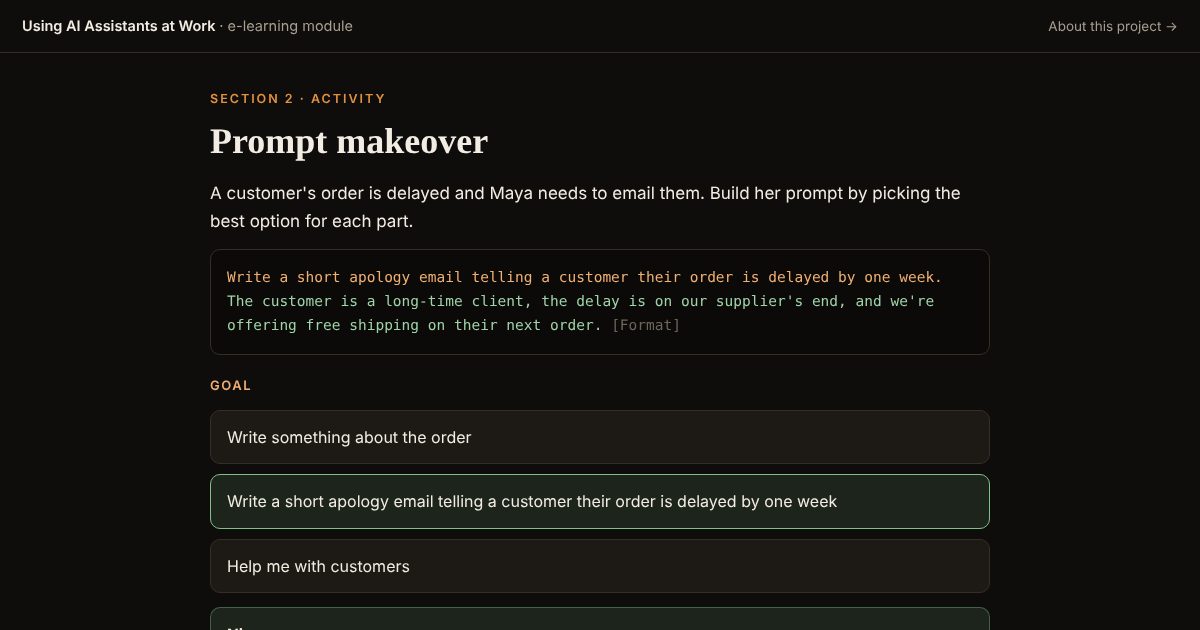
Screenshot of the Prompt makeover activity in the module
The problem

Everyone has AI now. Almost no one was trained on it.

Companies are rolling out tools like ChatGPT, Copilot and Claude, and employees are learning by trial and error. The result: vague prompts and weak answers, sensitive data pasted into public tools, and AI mistakes passed along unchecked. These employees don't need to know how AI works. They need a few habits they can use the same day.

The process

From analysis to finished module

I followed ADDIE. Each step has its own deliverable you can open.

Design decisions

What makes it work

Built for busy, skeptical learners

  • One memorable framework: Goal, Context, Format, Check. It fits on a sticky note.
  • A story, not slides: learners follow Maya through a real workday.
  • Practice on almost every screen: sorting, building a prompt, share-or-don't decisions, and finding errors in an AI-written email.
  • Feedback that explains why, not just right or wrong.

Built to be used, and measured

  • Accessible: buttons instead of drag-and-drop, keyboard navigation, screen-reader announcements, readable contrast.
  • Works on any device, and remembers where learners left off.
  • Performance support: a printable one-page job aid.
  • Evaluation plan across Kirkpatrick Levels 1–4.
Needs analysisLearning objectivesScenario-based learningStoryboardingScriptingInteraction designAssessment designAccessibilityKirkpatrick evaluationHTML / CSS / JavaScript

This is a concept project I created to show my process. It isn't client work. The same storyboard could be built in Articulate Rise or Storyline.